
Salesforce Marketing Cloud (SFMC) is a powerful platform for managing campaigns, and it involves accessing sensitive customer data and a lot of transaction data. Securing this data from unauthorized exports is critical for compliance, privacy, and risk mitigation. Uncontrolled data extraction can lead to data breaches, GDPR/CCPA violations, and insider threats.
In this post, we’ll explore various methods to prevent users from exporting data.
- Restrict User Permissions for Manual Data Exports
SFMC User Roles & Permissions allow admins to control who can access, view, and export data. This is one of the most important steps while setting up user access in SFMC.
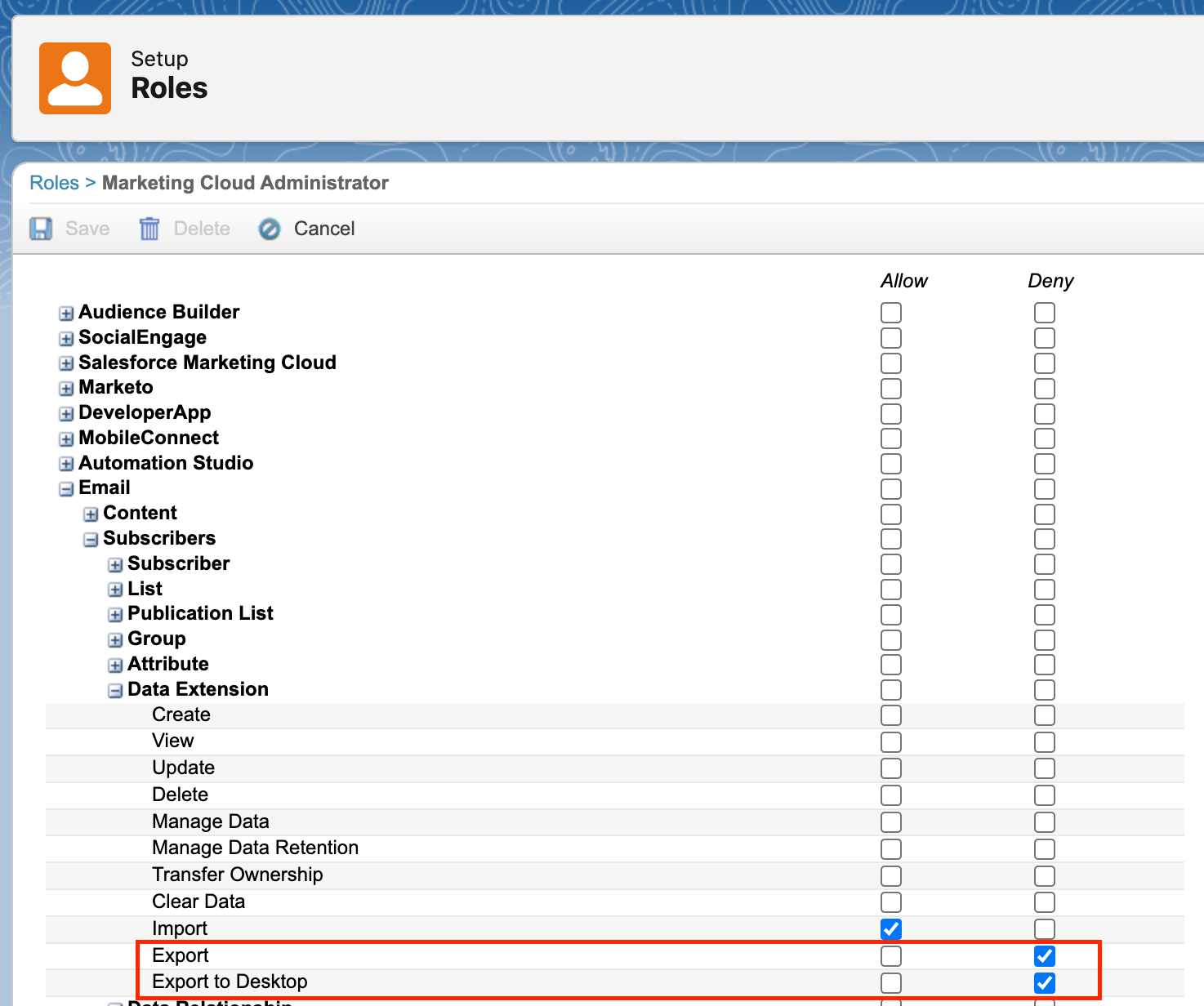
- Go to the Role or the User whose permission you’d want to edit under Setup.
- Under Email > Subscribers > Data Extension options, you’ll find 2 permissions related to Export. Select the ‘Deny’ checkbox for these.
- Export
- Export to Desktop
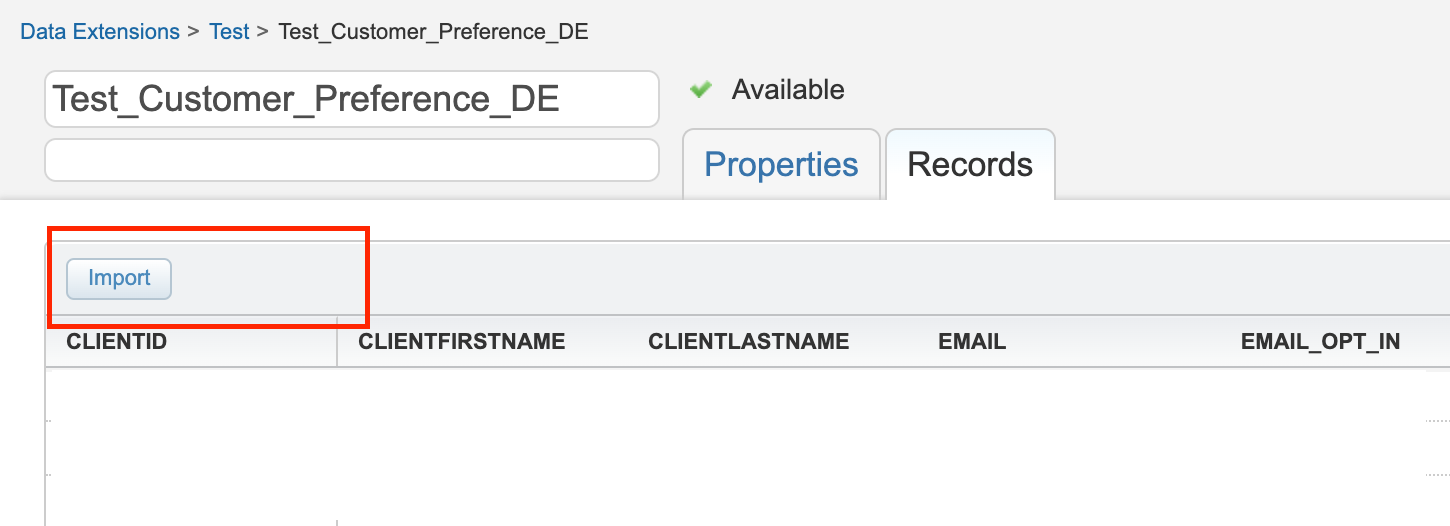
Doing this action, will remove the ‘Export’ button from the UI of Data extension for this user/role as shown below.
2. Disable Data Extract & File Transfer Activities in Automation Studio
Disabling the ‘Export’ option from Data extension doesn’t mean there’s no other way for users to export data. Users can still create an automation that can ‘Extract’ data from a data extension and then do a ‘File Transfer’ to SFTP. That means we need to restrict these activities and SFTP too.
Under the permissions, find Email > Interactions > Activities > Data Extract / File Transfer.
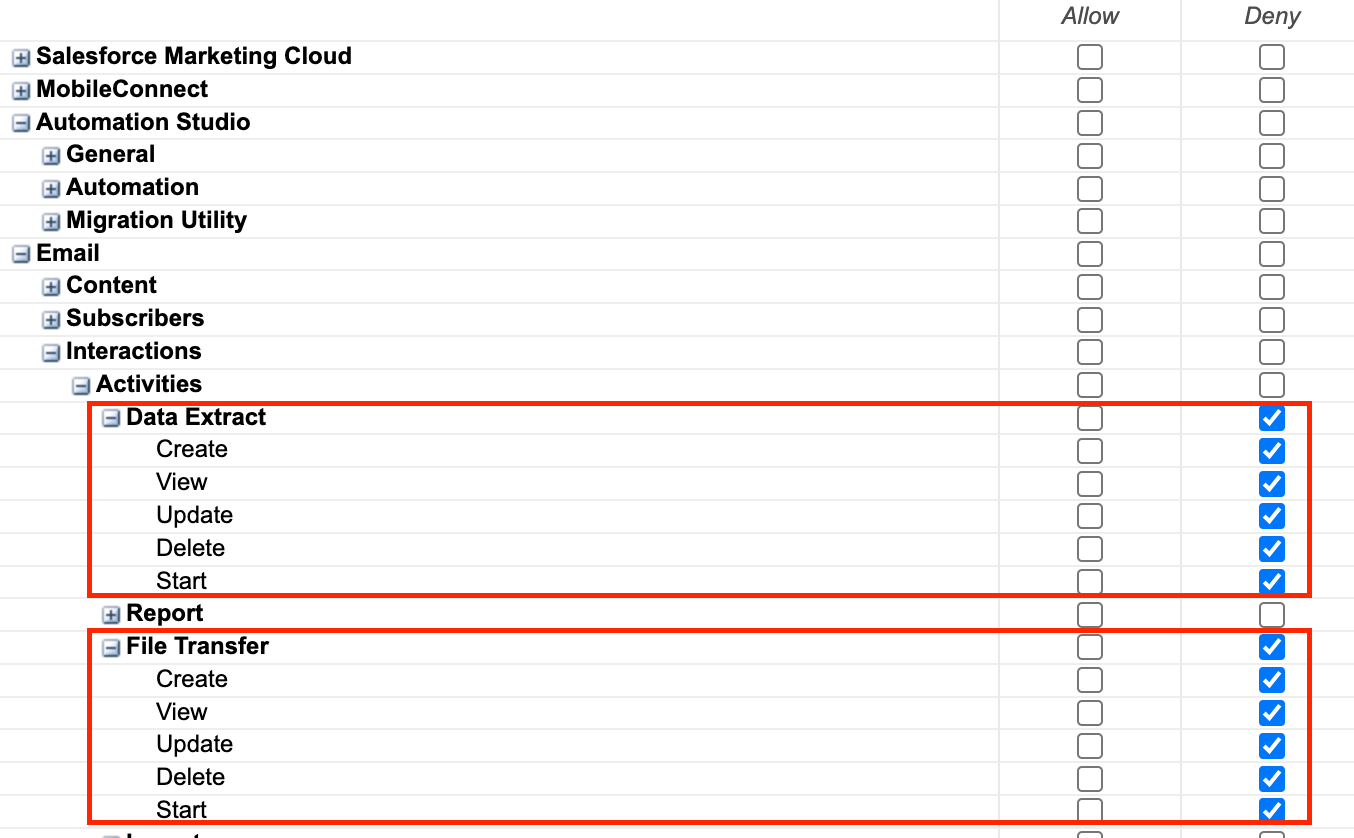
You might also want to review any existing scheduled Data Extracts and File Transfer activities.
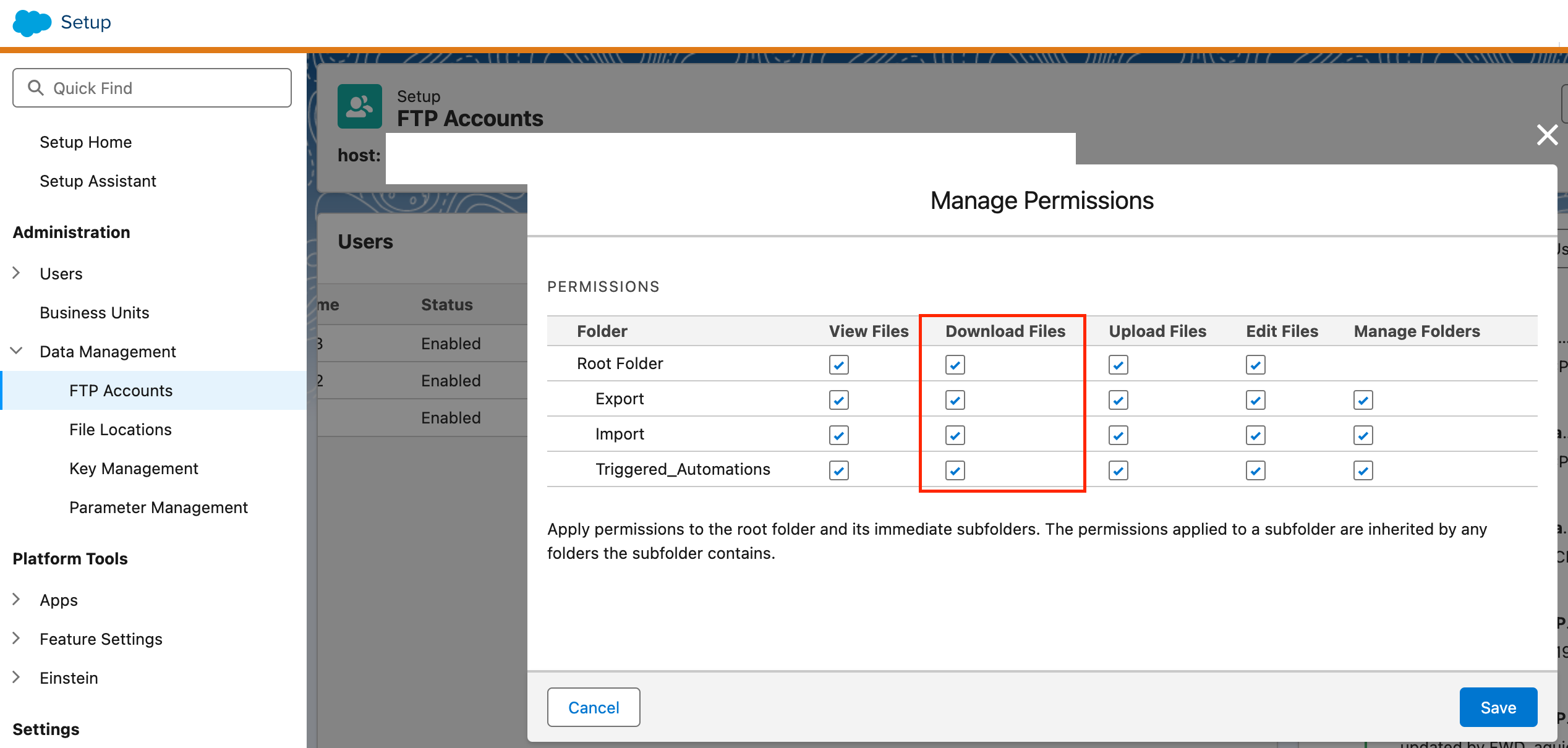
3. Disable Download From SFTP Folders
In FTP Accounts, disable ‘Download Files’ option for the SFTP user. So, the user won’t be able to download the data from SFTP too.
4. Restrict API-Based Data Access
If developers have Marketing Cloud API access, they can export Data Extension data using API requests. So, we need to secure the API settings to prevent data extraction.
There are a few ways to control API access:
- Limit OAuth Scopes when creating API credentials.
- Use IP whitelisting to block unauthorized API calls.
- Enforce SSO (Single Sign-On) & multi-factor authentication (MFA).
- Regularly review API logs for suspicious activity.
Export Email Allowlist
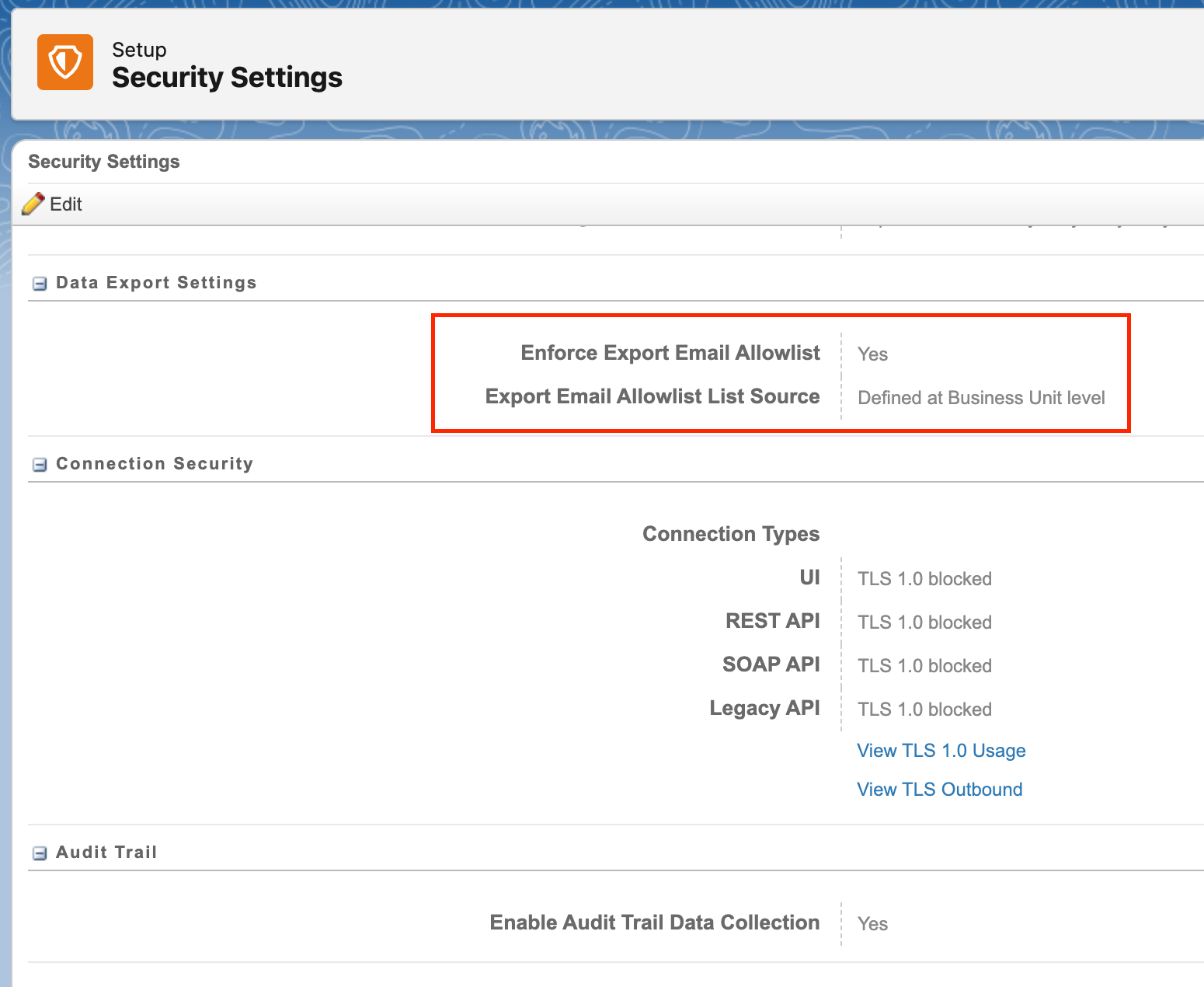
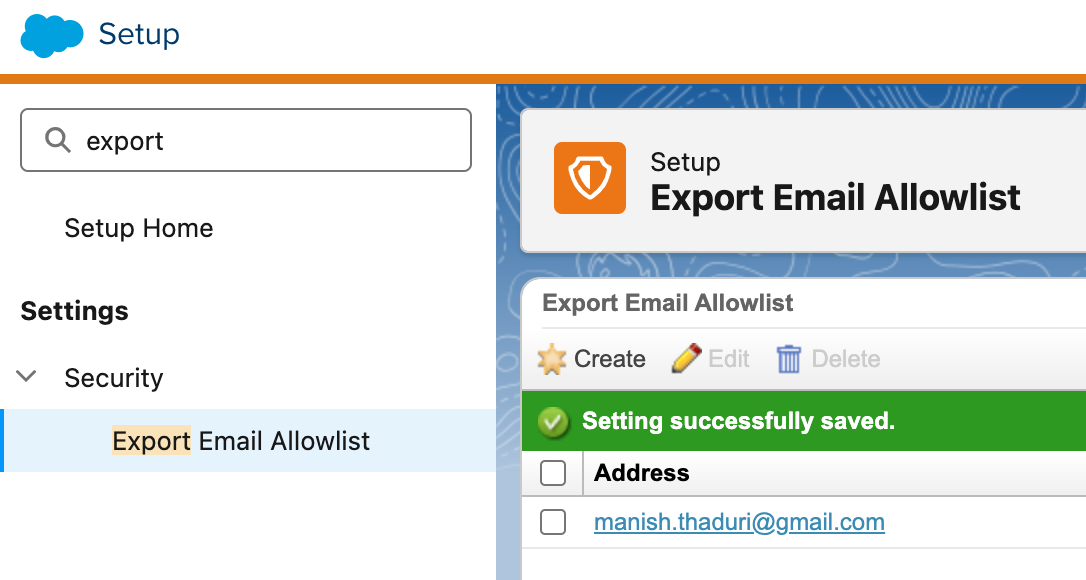
Sometimes, instead of completely disabling downloads, you might want to disable extracting to certain email addresses only. For that, SFMC allows email export restrictions through the ‘Export Email Allowlist’ feature. This prevents users from sending exported data to unauthorized email addresses.
You need to enable it first from Setup > Security Settings.
Then, define the allowlist in Setup > Security > Export Email Allowlist.
Final Thoughts
Preventing unauthorized data exports in SFMC is essential for data security, compliance, and risk mitigation. By implementing the above, companies can protect sensitive customer data from misuse.
 sfdcFanBoy